Learning Examples | Foundations | Hacking | Links
Examples > Keyboard Library
Keyboard Logout
This example uses the Keyboard library to log you out of your user session on your computer when pin 2 on your Leonardo or Due is pulled to ground.
NB: When you use the Keyboard.print() command, the Arduino takes over your computer's keyboard! To insure you don't lose control of your computer while running a sketch with this function, make sure to set up a reliable control system before you call Keyboard.print(). This sketch is designed to only send a Keyboard command after a pin has been pulled to ground.
Hardware Required
- Arduino Leonardo, Micro, or Due board
- hookup wire
Software Required
- none
Circuit
Connect your board to your computer with a micro-USB cable.
To run the sketch, connect a hook-up wire from pin 2 to ground.
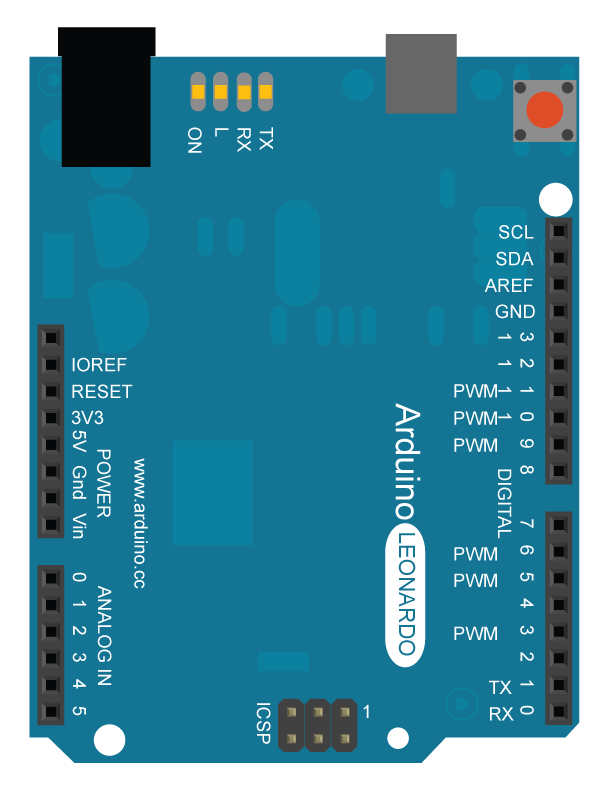
image developed using Fritzing. For more circuit examples, see the Fritzing project page
Code Before you upload the program to your board, make sure to comment out any OS you are not currently using.
Keyboard logout
This sketch demonstrates the Keyboard library.
When you connect pin 2 to ground, it performs a logout.
It uses keyboard combinations to do this, as follows:
On Windows, CTRL-ALT-DEL followed by ALT-l
On Ubuntu, CTRL-ALT-DEL, and ENTER
On OSX, CMD-SHIFT-q
To wake: Spacebar.
Circuit:
* Arduino Leonardo or Micro
* wire to connect D2 to ground.
created 6 Mar 2012
modified 27 Mar 2012
by Tom Igoe
This example is in the public domain
http://www.arduino.cc/en/Tutorial/KeyboardLogout
*/
#define OSX 0
#define WINDOWS 1
#define UBUNTU 2
// change this to match your platform:
int platform = OSX;
void setup() {
// make pin 2 an input and turn on the
// pullup resistor so it goes high unless
// connected to ground:
pinMode(2, INPUT_PULLUP);
Keyboard.begin();
}
void loop() {
while (digitalRead(2) == HIGH) {
// do nothing until pin 2 goes low
delay(500);
}
delay(1000);
switch (platform) {
case OSX:
Keyboard.press(KEY_LEFT_GUI);
// Shift-Q logs out:
Keyboard.press(KEY_LEFT_SHIFT);
Keyboard.press('Q');
delay(100);
Keyboard.releaseAll();
// enter:
Keyboard.write(KEY_RETURN);
break;
case WINDOWS:
// CTRL-ALT-DEL:
Keyboard.press(KEY_LEFT_CTRL);
Keyboard.press(KEY_LEFT_ALT);
Keyboard.press(KEY_DELETE);
delay(100);
Keyboard.releaseAll();
//ALT-s:
delay(2000);
Keyboard.press(KEY_LEFT_ALT);
Keyboard.press('l');
Keyboard.releaseAll();
break;
case UBUNTU:
// CTRL-ALT-DEL:
Keyboard.press(KEY_LEFT_CTRL);
Keyboard.press(KEY_LEFT_ALT);
Keyboard.press(KEY_DELETE);
delay(1000);
Keyboard.releaseAll();
// Enter to confirm logout:
Keyboard.write(KEY_RETURN);
break;
}
// do nothing:
while(true);
}
See Also
