Learning Examples | Foundations | Hacking | Links
Examples > EEPROM Library
EEPROM Read
The microcontroller on the Arduino board has 512 bytes of EEPROM: memory whose values are kept when the board is turned off (like a tiny hard drive).
This example illustrates how to read the value of each byte EEPROM using the EEPROM.read() function, and how to print those values to the serial window.
Hardware Required
- Arduino Board
Circuit
There is no circuit for this example.
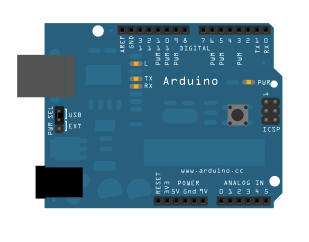
image developed using Fritzing. For more circuit examples, see the Fritzing project page
Code
/*
* EEPROM Read
*
* Reads the value of each byte of the EEPROM and prints it
* to the computer.
* This example code is in the public domain.
*/
#include <EEPROM.h>
// start reading from the first byte (address 0) of the EEPROM
int address = 0;
byte value;
void setup()
{
// initialize serial and wait for port to open:
Serial.begin(9600);
while (!Serial) {
; // wait for serial port to connect. Needed for Leonardo only
}
}
void loop()
{
// read a byte from the current address of the EEPROM
value = EEPROM.read(address);
Serial.print(address);
Serial.print("\t");
Serial.print(value, DEC);
Serial.println();
// advance to the next address of the EEPROM
address = address + 1;
// there are only 512 bytes of EEPROM, from 0 to 511, so if we're
// on address 512, wrap around to address 0
if (address == 512)
address = 0;
delay(500);
}
* EEPROM Read
*
* Reads the value of each byte of the EEPROM and prints it
* to the computer.
* This example code is in the public domain.
*/
#include <EEPROM.h>
// start reading from the first byte (address 0) of the EEPROM
int address = 0;
byte value;
void setup()
{
// initialize serial and wait for port to open:
Serial.begin(9600);
while (!Serial) {
; // wait for serial port to connect. Needed for Leonardo only
}
}
void loop()
{
// read a byte from the current address of the EEPROM
value = EEPROM.read(address);
Serial.print(address);
Serial.print("\t");
Serial.print(value, DEC);
Serial.println();
// advance to the next address of the EEPROM
address = address + 1;
// there are only 512 bytes of EEPROM, from 0 to 511, so if we're
// on address 512, wrap around to address 0
if (address == 512)
address = 0;
delay(500);
}
See also
