Learning Examples | Foundations | Hacking | Links
Examples > EEPROM Library
EEPROM Write
The microcontroller on the Arduino board has 512 bytes of EEPROM: memory whose values are kept when the board is turned off (like a tiny hard drive).
This example illustrates how to store values read from analog input 0 into the EEPROM using theEEPROM.write() function. These values will stay in the EEPROM when the board is turned off and may be retrieved later by another sketch.
Hardware Required
- Arduino Board
Circuit
There is no circuit for this example.
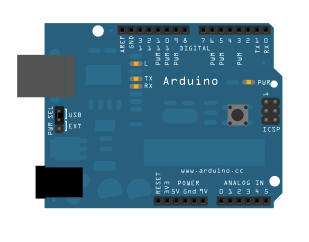
image developed using Fritzing. For more circuit examples, see the Fritzing project page
Code
/*
* EEPROM Write
*
* Stores values read from analog input 0 into the EEPROM.
* These values will stay in the EEPROM when the board is
* turned off and may be retrieved later by another sketch.
*/
#include <EEPROM.h>
// the current address in the EEPROM (i.e. which byte
// we're going to write to next)
int addr = 0;
void setup()
{
}
void loop()
{
// need to divide by 4 because analog inputs range from
// 0 to 1023 and each byte of the EEPROM can only hold a
// value from 0 to 255.
int val = analogRead(0) / 4;
// write the value to the appropriate byte of the EEPROM.
// these values will remain there when the board is
// turned off.
EEPROM.write(addr, val);
// advance to the next address. there are 512 bytes in
// the EEPROM, so go back to 0 when we hit 512.
addr = addr + 1;
if (addr == 512)
addr = 0;
delay(100);
}
* EEPROM Write
*
* Stores values read from analog input 0 into the EEPROM.
* These values will stay in the EEPROM when the board is
* turned off and may be retrieved later by another sketch.
*/
#include <EEPROM.h>
// the current address in the EEPROM (i.e. which byte
// we're going to write to next)
int addr = 0;
void setup()
{
}
void loop()
{
// need to divide by 4 because analog inputs range from
// 0 to 1023 and each byte of the EEPROM can only hold a
// value from 0 to 255.
int val = analogRead(0) / 4;
// write the value to the appropriate byte of the EEPROM.
// these values will remain there when the board is
// turned off.
EEPROM.write(addr, val);
// advance to the next address. there are 512 bytes in
// the EEPROM, so go back to 0 when we hit 512.
addr = addr + 1;
if (addr == 512)
addr = 0;
delay(100);
}
See also
