Learning Examples | Foundations | Hacking | Links
Examples > Communication
MultiSerialMega
Sometimes, one serial port just isn't enough! When trying to communicate with multiple serial enabled devices, while also sending info back to the main serial window, a few extra RX/TX ports can be a welcomed thing. This example makes use of one of Arduino Mega's 3 auxiliary serial ports, routing any incoming data read on that connection straight to the main TX line, and, in turn, to the main serial window for you to view.
Hardware Required
- (1) Arduino Mega Board
- (1) serial enabled device (a Xbee Radio, Bluetooth module, or RFID reader, or another Arduino, for instance).
Circuit
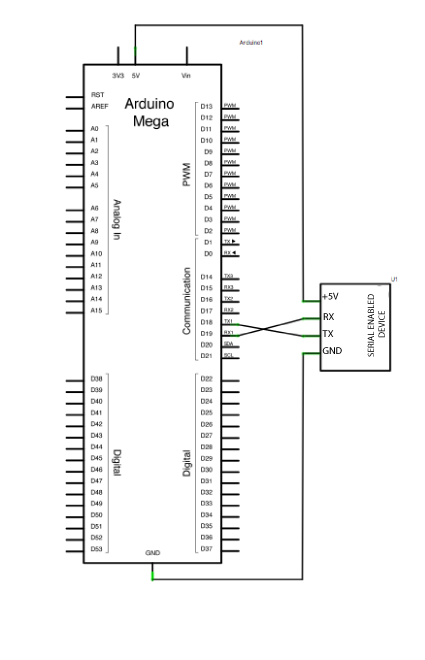
After checking the data sheet of whatever serial enabled device you choose to use for this example, make sure that it is both properly wired and powered. Connect the RX pin and TX pins of your device to the TX and RX pins of your Mega, as shown in the schematic below.
Make sure that your Mega is connected to your computer, via USB, to enable serial communication.
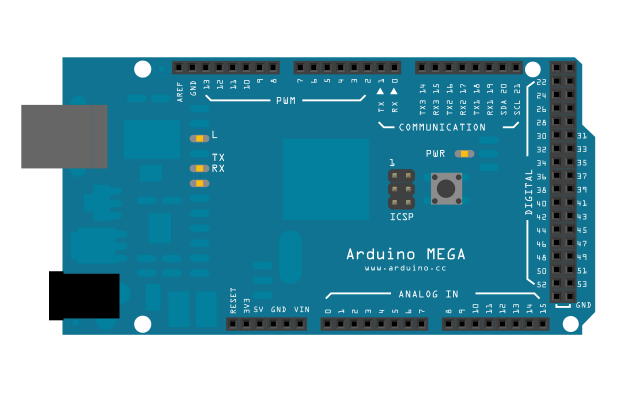
image developed using Fritzing. For more circuit examples, see the Fritzing project page
Schematic
Code
Mega multple serial test
Receives from the main serial port, sends to the others.
Receives from serial port 1, sends to the main serial (Serial 0).
This example works only on the Arduino Mega
The circuit:
* Any serial device attached to Serial port 1
* Serial monitor open on Serial port 0:
created 30 Dec. 2008
modified 20 May 2012
by Tom Igoe & Jed Roach
This example code is in the public domain.
*/
void setup() {
// initialize both serial ports:
Serial.begin(9600);
Serial1.begin(9600);
}
void loop() {
// read from port 1, send to port 0:
if (Serial1.available()) {
int inByte = Serial1.read();
Serial.write(inByte);
}
// read from port 0, send to port 1:
if (Serial.available()) {
int inByte = Serial.read();
Serial1.write(inByte);
}
}
See Also:
serial.begin()serial.read()serial.available()if()- The Arduino Serial Library
- DigitalReadSerial - read a switch and print it's state out to the Serial Monitor.
- AnalogReadSerial - read a potentiometer, print it's state out to the Serial Monitor.
- Serial Call Response - send multiple variables using a call and response (handshaking) method.
- Serial Call and Response ASCII - send multiple vairables using a call-and-response (handshaking) method, and ASCII-encoding the values before sending.
- If Statement - how to use an if statement to change output conditions based on changing input conditions.
