Interfacing with Other Software
You have come to the place to learn about connecting an Arduino to other devices, whatever software is running on those other devices. The Arduino can "talk", (transmit or receive data data) via a serial channel, so any other device with serial capabilities can communicate with an Arduino. It doesn't matter what program/programming language is driving the other device.
You can either use the Arduino's "main" serial port, the one it uses when you "talk" to it to program it, or you can leave that channel dedicated to programming (and the development environment's serial monitor), and use two other pins for an extra serial link dedicated to the external device.
Some programs (like Flash) don't have native serial capabilities. They can still communicate with Arduino through an intermediary which, like a "translator", enables them to talk to each other.
 MakerPlot is Windows® software for plotting analog and digital data generated by your microcontroller and other devices with ASCII serial outputs. No proprietary hardware is required – just a serial connection from your microcontroller or other device to your PC – that’s it!
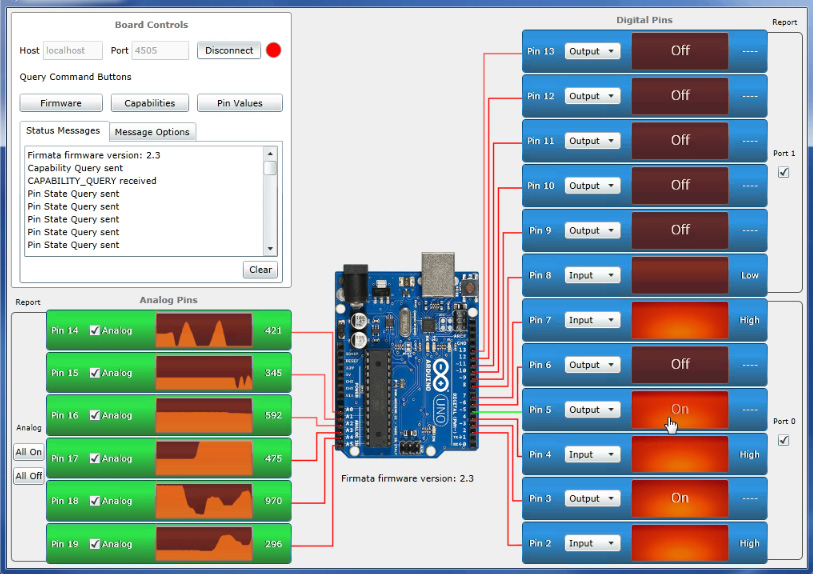
 - Simple software control of an Arduino Uno or Leonardo using the standard fermata. Allows you to control digital Input, Output, PWM, and Servos as well as read analog values..
- Plot data sent from an Arduino using MegunoLink.
- Interactive Arduino BASIC interpreter: - An Interactive Arduino BASIC interpreter that runs on the arduino.
- Scada for Arduino - SCADA Acimut Monitoriza for Arduino.
- Processing Modbus Master for Arduino - ModbusMaster class for the Processing environment. ModbusMaster is a class developed in and for the Processing environment. It allows you to communicate with modbus slave devices from within your Processing sketch. It works with any hardware serial port.
- WhiteCat Lighting Board - A lighting application dedicated to theatre and dance embedds communication with the arduino ( use of sliders and buttons, dimmers and motors)
- Firmata - a standard firmware for communication with a variety of software on the computer.
- GoBetwino - a generic proxy that runs on your PC and can do a lot of things that Arduino can not do alone, like starting programs sending e-mails, and a lot more.
- Bitlash - A command shell that interprets commands you type or send programmatically over the serial port.
- Avros: - Yet another small human-readable-writable serial protocol.
- Serial-to-network proxies - programs that allow communication with an Arduino via a network connection.
- Arduino and SensorMonkey - together at last A high speed low latency streaming service over http. The tutorials demonstrate how to drive web pages with high speed data from the Arduino without the need for the Ethernet shield. Users can also send commands to the Arduino from a web page. It works really well with Processing.js.
- Generic case: An example of connecting an Arduino which has an LED and a switch to an external device via a serial link. The external device is the master; the Arduino the slave. While the example uses Delphi in the master, what is in the Arduino could be used unchanged for interfacing to any external master. (Master can turn Arduino LED on or off, and it displays the state of the switch.)
- Arduino + iOS with ArduIP & ArduIP-HD
 ArduIP is an app to control your Arduino over a WiFi Network or a Ethernet Network. The configuration is full changeable in the necessary ion-Project File. You can control to switch Pins, read Sensor values and act with servos.
ArduIP HD (iPad) AppStore-Link: https://itunes.apple.com/de/app/arduip-hd/id581731630?mt=8
ArduIP (iPhone/iPod) AppStore-Link: https://itunes.apple.com/de/app/arduip/id579281736?l=de&ls=1&mt=8
Link to the Project-File: http://rkmobilearts.de/index.php/arduip/11-arduip-ino-projekt
iArduino is an app which allows you to control your Arduino Board over a WiFi Network with the help of Arduino Ethernet Shield and your iOS devices like iPhone, iPod Touch and iPad.You can control output of each pin individually.With the help of iArduino app and your ideas you can create variety of projects and control them Wirelessly with faster response of the iArduino App.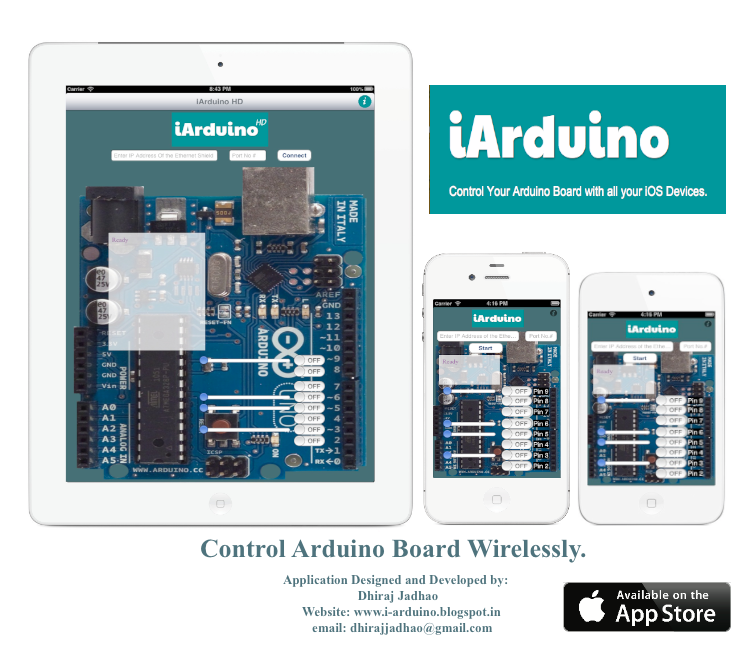
View iArduino App in App Store:
For iPhone and iPod Click Below: https://itunes.apple.com/us/app/iarduino/id578582005?ls=1&mt=8
For iPad High Definition Version Click Below: https://itunes.apple.com/us/app/iarduinohd/id576222352?ls=1&mt=8
Here is the Video of iArduino App in action: http://www.youtube.com/watch?v=yJM4Gc9RWRE&feature=plcp
- Arduino + iOS (iPhone+iPad): Ardumote An app for iOS that lets the user design an interface on the iPhone/iPad and send messages to the Arduino wirelessly over WiFi as UDP packets. Supports control of all pins, PWM, and receiving messages for reading sensors.
- Arduino + iPhone / iPad: iArd is an app for iPhone that allows you to communicate with Arduino (and compatible) via the ethernet shield and a special sketch.
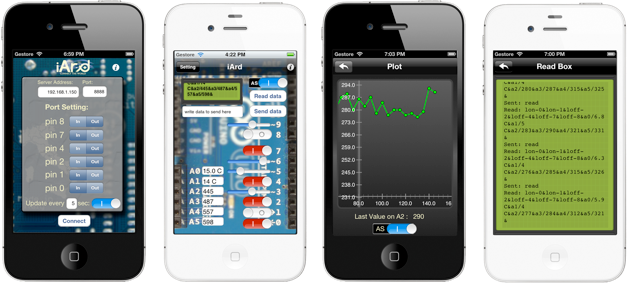
- Arduino & iOS: Arduino Control You can use this App to control a Arduino using your iPhone, iPad or iPod Touch. It uses JSON for communication. You can change the sketch to make it do or return what you want.
- Arduino + iPhone: MeteoBox This is an App for the iPhone that enables Arduino to publish weather data read from the WeatherShield1. The data are formatted in an XML file ready to be transferred through the Ethernet Shield. The provided sketch let you able to interface to other sensors.
- Arduino + Android: Androino is an open-source library that interfaces android and arduino through an audio connection. A software implementation of a modem-like communication.
- Arduino + Android: Amarino
- Arduino + Android: usb-serial-for-android provides a serial port driver interface for use with Arduino and other devices.
- Arduino + Blender
- Arduino + BlitzMax (access restricted to BlitzMax users)
- Arduino + C
- Arduino + C++ (using libSerial)
- Arduino + C++ (for Windows)
- Arduino + C#
- Arduino + C# (Arduino class for C# and Arduino Firmware) Spanish
- Arduino + Calico (Windows, Mac, and Linux): Python, Jigsaw (a visual programming language), Scheme, and more
- Arduino + Cocoa/Objective-C (Mac Only)
- Arduino + Delphi: A general template. The same Arduino code could be used in systems connecting Arduinos with devices programmed with other languages.
- Arduino + Director
- Arduino + Flash
- Arduino + Flowol
- Arduino + FreeBasic
- Arduino + Game Maker
- Arduino + Instant Reality (X3D)
- Arduino + Isadora
- Arduino + Java
- Arduino + JSON
- Arduino + L3DGEWorld, l3dgecomm (3D data visualisation tool)
- Arduino + Liberlab (measurement and experimentation software)
- Arduino + Linux TTY
- Arduino + Mathematica
- Arduino + Matlab
- Arduino + MaxMSP
- Arduino + misc generic (1)
- Arduino + misc generic (2) - Any SW via files
- Arduino + Mono
- Arduino + OSC (via Processing)
- Arduino + Pd (Pure data)
- Arduino + PERL
- Arduino + Processing
- Arduino + Python
- Arduino + Ruby
- Arduino + Second Life
- Arduino + Scratch
- Arduino + SQLite - Generic Simple Database input
- Arduino + Squeak
- Arduino + SuperCollider
- Arduino + Unity
- Arduino + VBscript
- Arduino + Virtools
- Arduino + Visual Basic .NET
- Arduino + V V V V
- Arduino + Xterm
- Arduino + Reaper - This sketch for Arduino implements a very simple control surface with a MIDI interface for the Reaper Digital Audio Workstation from Cockos http://reaper.fm Emulates a Frontier AlphaTrack MIDI control surface. Works with DFRobot LCD Keypad Shield for Arduino and Duemilanove. Instructions at the top of the sketch.
- Arduino + Silverlight - Details of how to use Arduino, Firmata and Serial Proxy to interact with an interface running in Silverlight. An overview of the requirements are given along with full downloads of all the code.
- TirinoLink for Arduino - TirinoLink is a set of libraries and APIs that allow multiple Arduinos to be connected to a PC, BeagleBoard, PandaBoard etc. Arduinos can be directly connected or daisy-chained to form large autoconfiguring and hot-pluggable networks. USB, serial and Zigbee links can be used. TirinoLink provides easy to use APIs to support arbitrary message passing between Arduinos and the host.
- embedXcode: use Xcode (Mac OS X only) to develop for the Arduino platform.